🚀 QUANTIZ is now available — AI-Powered Construction Estimating built for Filipino Professionals Request a Demo →
MasterFormat-Based · AI-Powered · Made in the Philippines 🇵🇭

Construction Estimating,
Reimagined.

QUANTIZ is the first AI-powered construction estimating application structured on the MasterFormat division system — developed by a Filipino Architect for Architects, Cost Engineers, and Contractors nationwide.

QUANTIZ CORE v2 MasterFormat
03 — Concrete₱ 1,240,000
05 — Metals₱ 880,500
09 — Finishes₱ 620,000
Overhead & Profit+ 10%
VAT (12%)+ 12%
Grand Total₱ 3,285,760
AJ — AI Agent is ready to assist…
MasterFormat Division Structure
14-Division BOQ System
Claude AI Integration
Philippine VAT & Cost Standards
Multi-Project Management
Engineer reviewing construction blueprints on site
👷
Aldrin Dialogo — Architect & Creator 25 Years · Design · Cost Engineering · Project Management
Why QUANTIZ

Precision estimating,
built from the field up.

QUANTIZ is the vision of Aldrin Dialogo — a licensed Filipino Architect with over 25 years of combined experience in architectural design, cost engineering, and project management, earned across international projects overseas.

After decades of firsthand frustration with manual BOQ spreadsheets and tools not built for Philippine construction standards, Aldrin designed and built QUANTIZ himself — from the ground up — to solve the real problems he lived on the job site every day.

QUANTIZ is not made by a software company. It is made by an Architect who has spent 25 years in the field knowing exactly what Cost Engineers, Designers, and Project Managers actually need.

🏠 Residential 🏢 Commercial 🏫 Educational 🏛️ Government 🏭 Industrial 🛣️ Infrastructure
What's inside
Everything a Cost Engineer needs,
in one place.

From quantity take-off to final BOQ report — QUANTIZ handles the full estimating workflow with precision and AI-assisted speed.

📐
MasterFormat BOQ

Build your Bill of Quantities division by division. The moment your BOQ is complete, your project budget is instantly established — no extra steps, no separate computation needed.

14 Divisions
🤖
AI Import — AJ Agent

Upload drawings or specs and let AJ, the built-in AI agent, extract and populate BOQ line items automatically via Claude Vision AI.

Claude API
📏
AI Plan Measurement

Measure directly on uploaded PDF plans — area, linear, continuous, and count tools with dual-axis scale calibration for accurate quantity take-offs.

PDF + Vision
🗂️
Multi-Project Management

Manage multiple projects at once — RES, COM, IND, INF, MXD, REN, EDU, GOV, INS — each with independent settings, BOQ data, and reports.

9 Project Types
📦
Instant Materials List

As your BOQ is built, your complete materials list is generated automatically — no additional time spent. Know exactly what to procure, in what quantity, and at what cost. Ready to hand to your supplier the moment estimating is done.

Zero Extra Time
🖨️
Professional BOQ Reports

Print-ready BOQ reports with your company logo, license, address, and project details — formatted for client submission and approval.

Print-Ready
The QUANTIZ Edge

One entry. Four powerful outputs.
Simultaneously.

At the heart of QUANTIZ is the BUR — Build-Up Rate (known in the industry as DUPA — Detailed Unit Price Analysis). Build your BUR once, and QUANTIZ instantly generates four critical outputs that other apps can't even produce individually — let alone all at once.

⚙️
BUR
Build-Up Rate
(DUPA)
📋
BOQ
Bill of Quantities

Fully structured bill with unit rates built from the ground up — labor, materials, and equipment broken down scientifically per line item.

Per-item markup Global markup 14 Divisions
💰
Budget
Pure Quantity Baseline

A pure, clean baseline — no markup, no VAT, no overhead applied. Reflects raw quantities and direct costs only, exactly as built in the BUR. This is your honest reference for cost monitoring and analysis throughout the project lifecycle.

No markup Pure baseline qty Direct costs only
📊
Budget Alias
Cost Baseline & Monitor

The brain of QUANTIZ. Carries item codes, unit prices, and quantities — your living cost monitoring reference throughout the entire construction lifecycle. Use it to track actual vs estimated costs at any stage.

Item codes Cost monitoring Baseline tracking
🛒
BOM
Bill of Materials

Complete materials procurement list generated automatically. Every material, quantity, and unit cost — ready to hand directly to your supplier the moment your BOQ is done. Zero extra time.

Procurement-ready Supplier-ready Zero extra steps

"No other construction estimating app in the world — let alone in the Philippines — generates BOQ + Budget + Budget Alias + BOM simultaneously from a single BUR entry."

BUR is the QUANTIZ identity. DUPA by any other name — but smarter, faster, and more complete.
How It Works
Build once. Get everything instantly.

QUANTIZ is designed so that completing your BOQ automatically produces your budget, baseline, and materials list — all at the same time, with zero extra work.

1
Enter Your Project

Set up your project type, location, and scope. QUANTIZ applies Philippine cost defaults automatically.

2
Build Your BOQ

Add quantities division by division — manually, or let AJ Agent extract them from your drawings automatically.

3
Everything Generates

The moment your BOQ is complete — budget, cost baseline, and materials list are all ready. No extra steps.

4
Export & Submit

Print a professional BOQ report with your logo and project details — formatted and ready for client submission.

When your BOQ is done — these are instantly ready:
💰
Project Budget
Total cost established automatically — including overhead, profit, VAT, contingency, and miscellaneous.
📊
Cost Baseline
Your financial reference point is set. Track actual vs estimated costs against this baseline throughout construction.
🛒
Materials List
Complete procurement list generated — every material, quantity, and unit cost. Hand directly to your supplier.
Inside a QUANTIZ BOQ
See what gets built — click any division.

Each MasterFormat division contains pre-structured line items. Click below to see what's included when you build that section of your BOQ.

🏗️ Sitework & Earthworks Div 02
  • Site clearing and grubbing
  • Excavation and backfill
  • Grading and compaction
  • Dewatering works
  • Soil poisoning / termite control
✓ Budget line auto-computed when quantities entered
🧱 Concrete Works Div 03
  • Footing and foundation concrete
  • Column, beam, slab pours
  • Formworks and falseworks
  • Reinforcing steel bars (RSB)
  • Concrete topping and finishing
✓ Materials list: cement bags, sand, gravel, RSB auto-listed
🔩 Metals & Structural Steel Div 05
  • Structural steel columns and beams
  • Steel roof framing and purlins
  • Metal decking
  • Anchor bolts and base plates
  • Miscellaneous metals and handrails
✓ Steel tonnage and unit rates auto-calculated
🪵 Carpentry & Woods Div 06
  • Rough carpentry and framing
  • Doors and door frames
  • Wood paneling and ceilings
  • Cabinet and millwork items
  • Specialty wood finishes
✓ Board feet and linear meter quantities tracked
🪟 Doors, Windows & Glazing Div 08
  • Steel, aluminum, wood doors
  • Sliding and swing windows
  • Curtain wall systems
  • Glass type and thickness spec
  • Hardware, locks, and closers
✓ Unit count and area auto-totaled per opening type
🎨 Finishes Div 09
  • Floor tiles, marble, and vinyl
  • Wall plaster and paint works
  • Ceiling boards and grids
  • Waterproofing and sealants
  • Exterior cladding and façade
✓ Sqm areas and paint liters auto-computed
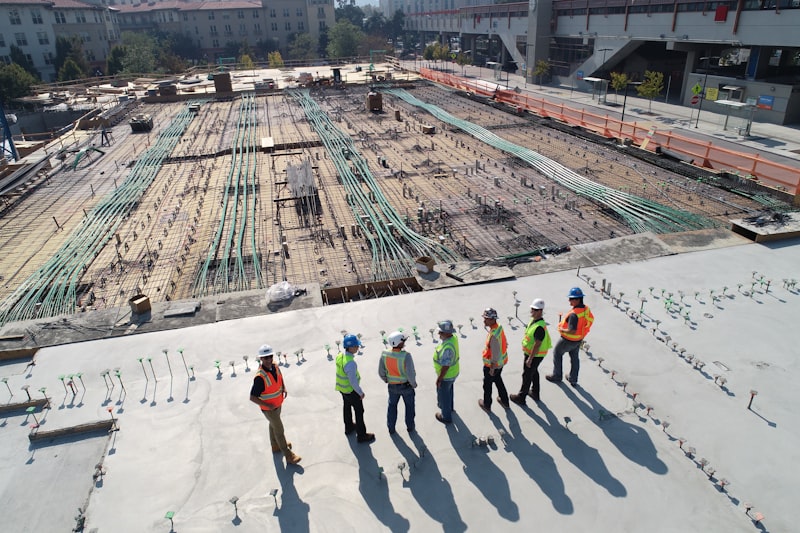
Construction site aerial view
"Stop estimating by gut feel.
Start building with numbers you can defend."
14
MasterFormat Divisions
9
Project Types Supported
100%
Browser-Based, No Install
AI
Claude-Powered Intelligence
Community
What professionals are saying.

Share your experience, suggestions, or questions about QUANTIZ. We read every comment.

💬 Leave a Comment

Be the first to share your experience with QUANTIZ!
Get in touch

Interested in QUANTIZ?

Whether you're an Architect, Cost Engineer, or a construction firm ready to modernize your estimating workflow — reach out and let's talk about what QUANTIZ can do for you.

Philippines — Metro Manila & nationwide clients
Response time: within 24 hours
Free demo available — see the full app in action

📧 Sent directly to arki.askmehow@gmail.com · Your information is kept private and never shared.

Stay Updated

Get QUANTIZ Updates

Be the first to know about new features, improvements, and launch announcements.

👁️ Page visitors: ...
QUANTIZ Dev Panel
Enter developer password to access controls.